
You can’t improve, reorganize, or AI-optimize what you can’t see.
We’ve all been there: starting a new website project with a large, unfamiliar site that needs to be understood fast.
A client may know every corner of the site and describe it with internal language that sounds obvious to them, but confusing to everyone else. The marketing team may see one version of the site. The UX team may see another. SEO may be focused on crawl paths, topic gaps, and buried opportunities. Leadership may simply want to know why the site feels harder to use than it should.
That is exactly where a visual sitemap becomes useful.
A visual sitemap gives your team a clear, structured view of the website’s current architecture. Instead of clicking around, guessing, or manually piecing together page relationships, you can see the hierarchy, depth, page groupings, and structural problems in one place.
And now, with AI-optimized sitemaps, that current-state map can become more than a reference document. It can become the starting point for a smarter future-state architecture, with recommended restructuring, topical clustering, page grouping, and a detailed analysis report your team can actually work from.
In other words: the visual sitemap shows you what exists today. AI helps you understand what the structure could become next.
What is a Visual Sitemap?
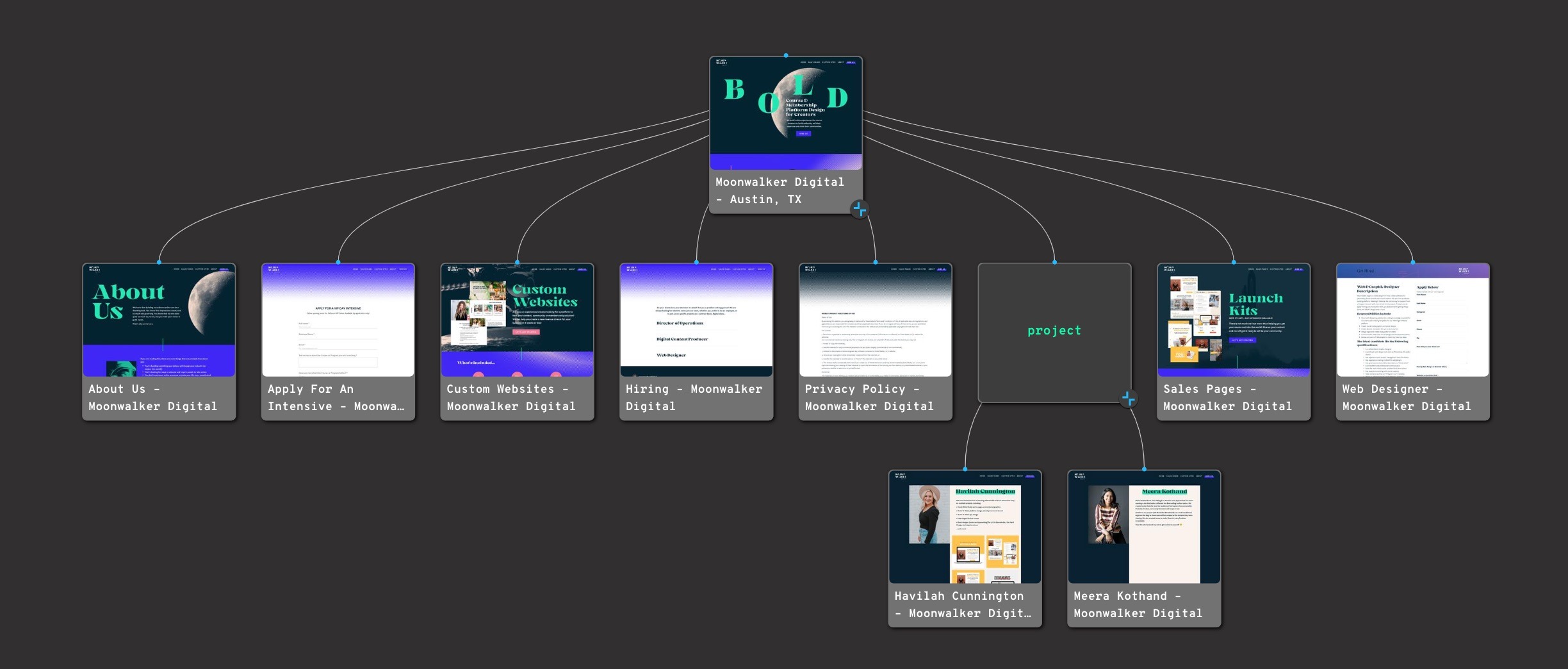
A visual sitemap is a diagrammatic representation of a website’s structure. It shows the hierarchy of pages, the relationships between them, and how the site is organized from the top level down.
Think of it as a blueprint of your website.
Instead of looking at a website one page at a time, a visual sitemap lets you see the whole architecture at once. This makes it easier to understand how content is grouped, where navigation paths may be unclear, which sections are too deep, and where important pages may be hidden.
Visual sitemaps are especially useful for:
– website redesigns
– UX and information architecture planning
– SEO and content strategy
– stakeholder reviews
– competitor analysis
– migration and replatforming projects
– content audits and site cleanup
A visual sitemap can be created manually, but automated sitemap generators save significant time by crawling the website and mapping the structure for you.
With VisualSitemaps, that automated map can also become the foundation for AI-powered architecture recommendations. Once the current structure is visible, AI can help suggest a clearer, more strategic future-state sitemap designed around UX, SEO, topical relevance, and business goals.
Start with a visual sitemap
But who has the time to manually put together a Visual Sitemap when there’s so much other work to be done? Sure, you could scribble one out. Or even skip this step entirely. Nobody has time to go through every page and diagram its relationships to others. And you’re probably going to make mistakes if you do. We’re only human, and it’s easy to mess up with so many moving parts to keep track of. It’s 2025 – Automation is taking over.
VisualSitemaps takes care of this step so you don’t have to, with our app auto-generating a complete and exact sitemap. Using a visual sitemap generator, you can save time and reduce errors in creating sitemaps. What you get is a snapshot of the /directory/ structure, outlining the organization of the pages within the web design. This helps in understanding and improving the website’s architecture, which is crucial for SEO. Instead of spending hours and hours piecing a sitemap by hand, you get a gorgeous one in an instant.
If you’re dealing with a website that’s been around for a while, having gone through multiple iterations, and worked on by many people, it’s easy for its scope to be like a garden that’s overgrown with weeds. Your job is to cut down what’s not needed, to give it order, and give the content room to breathe.
When you don’t have a website blueprint to work from, your choices are based on limited information. This leads to disordered information architecture, wonky navigation, and a frustrating user experience.
Sitemaps show you the organization and relationships between pages. All parent<>child relationships are visible. You can then analyze this graph and create more efficient avenues for your users.
A visual sitemap lets you see how you can streamline a website’s organization. The main navigation, secondary navigation, and all of the branches that extend down are clearly illustrated. You can figure out where to split up content, combine it, and put an important page that may be buried in a new place that’s more accessible. You can flatten complicated page trees into something more manageable. Visual sitemaps give you the power to make informed design, strategic, SEO, and content planning choices.
From Current-State Sitemap to AI-Optimized Architecture
Traditionally, a visual sitemap helped teams document what already exists.
That alone is valuable. You can see the structure, understand the page hierarchy, identify bloated sections, spot buried content, and start making better decisions about navigation, UX, SEO, and content planning.
But most teams do not just need a record of the current website. They need a better plan for what the website should become.
That is where AI-optimized 🧠 sitemaps change the workflow.
After VisualSitemaps crawls your site and generates the visual map, AI can analyze the existing structure and generate an optimized future-state sitemap. This does not replace strategic judgment, but it gives your team a much stronger starting point.
The AI 🧠 can help surface:
– weak information architecture
– confusing or overloaded page groupings
– missed SEO and topical clustering opportunities
– important pages that are buried too deep
– sections that may need to be reorganized
– competitor-inspired structural opportunities
– recommendations for a clearer, more intentional website architecture
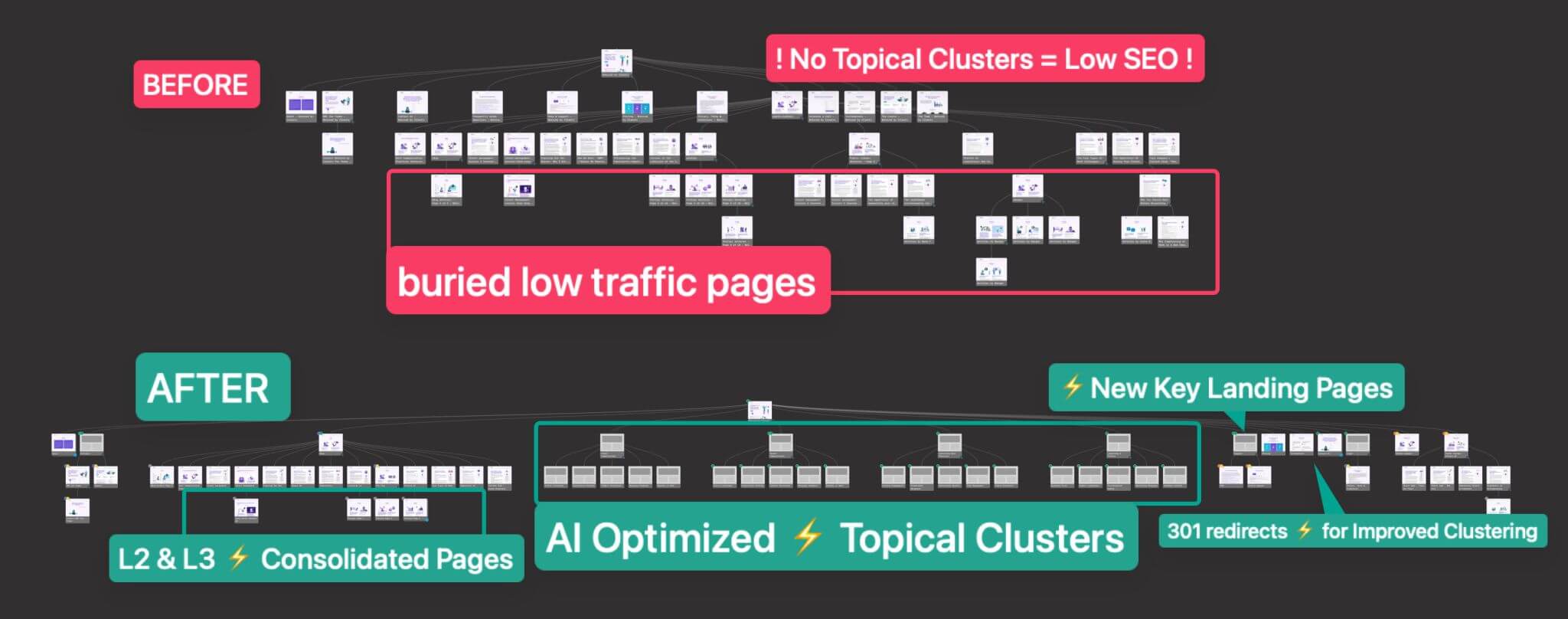
Instead of staring at a large sitemap and asking, “Now what?”, your team can start with a proposed structure, review the reasoning, and decide what to keep, change, or challenge.
That makes the visual sitemap useful not only as a discovery artifact, but as a planning tool for redesigns, replatforming, SEO strategy, and cross-functional website decisions.
Flat versus deep: two different ways to structure
Having a visual representation of the current structure helps you see whether the hierarchy is too flat, too deep, or appropriately layered for the type of website you are working on.
This matters because architecture is not just a design preference. It affects how users explore the site, how search engines understand relationships between pages, and how easily teams can maintain or expand the website over time.
The general rule is that you don’t want to have content that takes a priority to be hidden underneath levels of navigation. Flat website taxonomies are best suited when there are straightforward categories that people can immediately identify. Looking at this VisualSitemaps’ representation below from Blue Apron shows that their website has a flat organization. All of the most important pages are no more than two levels deep.
AI-optimized sitemap analysis can help evaluate this structure more strategically. Instead of only showing that a section is deep or disorganized, AI can suggest how pages might be regrouped, renamed, tagged, or repositioned into clearer topical clusters.
The goal is not to make every website shallow. The goal is to create a structure that matches user intent, content depth, search opportunity, and business priorities.
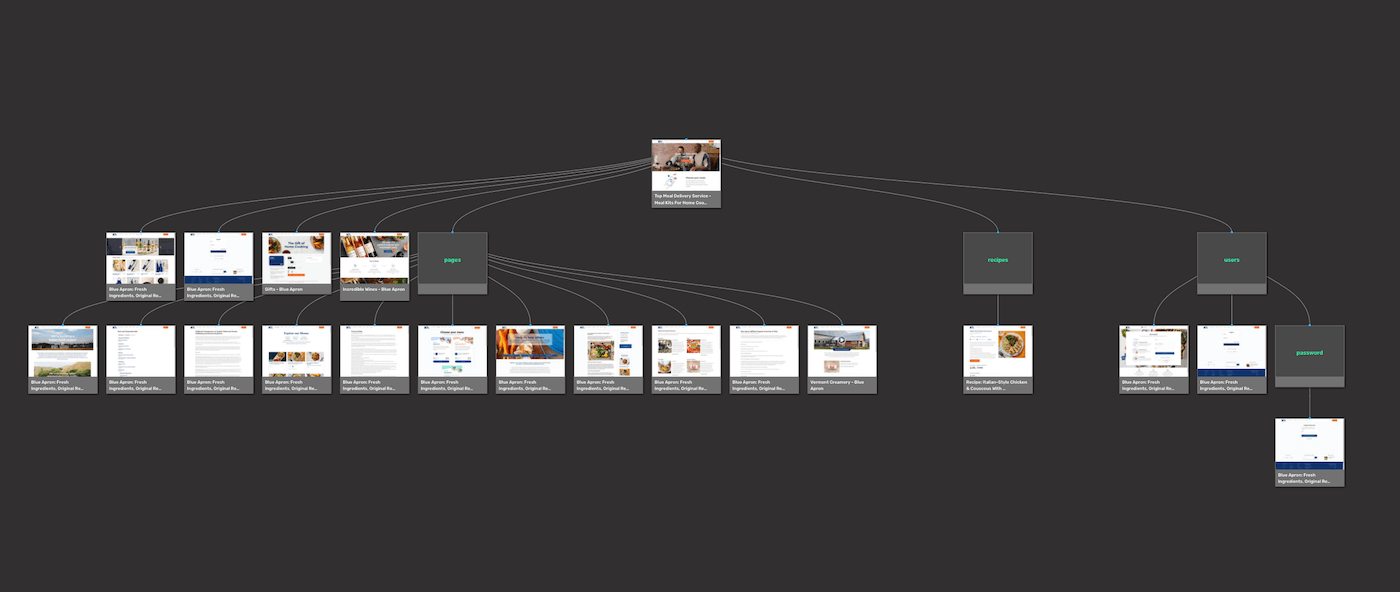
Blue Apron’s offerings are distinct, leading to a flat, straightforward site structure. But for businesses that may have multiple categories of products, a deeper hierarchy will lead people on more focused paths in finding what they’re after. Let’s take Burton for example. Their primary product are snowboards, which can be subdivided into a number of categories depending on the type of riding someone wants to do. But snowboards aren’t their only products, and they offer multiple lines of soft goods including outerwear, bags, and other accessories.
Their website has hundreds of pages – this screen capture below takes us through just 40 of them, but we can see how this gigantic amount of different product types needs to have multiple levels to bring specificity in helping people find the products they’re looking for.
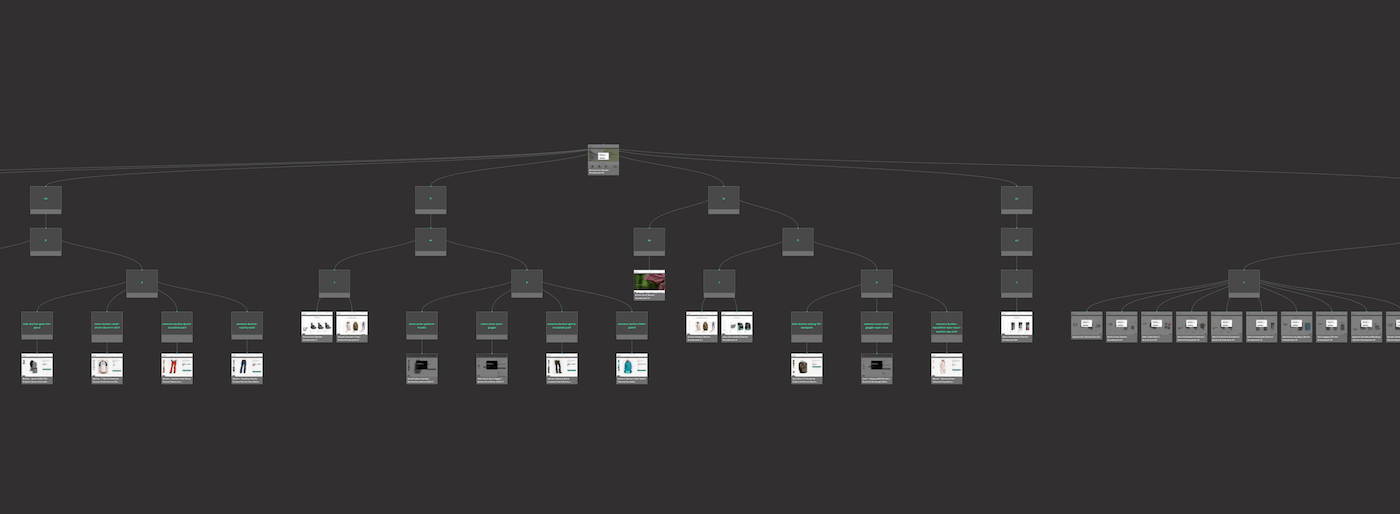
If Blue Apron’s design had this many levels, it would work against them. But for Burton, a more complex taxonomy simplifies their many products into an easier to navigate system.
Having a visual representation of what’s in place shows you whether or not the hierarchy is flat or deep, and helps you come up with a plan in how you can improve it. Understanding the website’s architecture is crucial for making these improvements. Visual sitemaps illustrate the hierarchy and connections between all the web pages on a website, simplifying site architecture, enhancing SEO, and ensuring that all web pages are properly linked for better search engine crawling.
Know how the competition structures their website
People want websites to feel intuitive. They do not want a novel, confusing structure when they are trying to find information, compare options, or complete a task.
Studying competitor website structures helps you see the patterns your audience may already understand. It also helps reveal what competitors emphasize, how they group content, where they create dedicated landing pages, and which topics they treat as strategically important.
A visual sitemap makes this much easier. Instead of manually clicking through competitor sites, you can generate visual maps and compare how their pages, categories, and content hubs are organized.
This is especially useful for SEO and topical clustering.
When you can see how competitors structure their content, you can identify:
– topics they cover well
– sections they overcomplicate
– gaps they may have missed
– landing pages they use to capture search intent
– category structures worth learning from
– opportunities to create clearer or more useful content paths
With AI-optimized sitemaps, this analysis becomes even more actionable. Your current site structure can be evaluated against broader IA, UX, and SEO patterns, helping generate a future-state sitemap that is not just cleaner, but more strategically organized.
The goal is not to copy competitors. The goal is to understand the structural language of your market, then design a better version for your own users.
Using a Visual Sitemap Generator 🤖
Using a visual sitemap generator is an efficient way to create a visual representation of a website’s structure. These tools can auto-generate a complete and exact sitemap in just a few clicks, saving you time and effort. With a visual sitemap generator, you can quickly identify internal links, optimize website navigation, and streamline the organization of your web pages.
A visual sitemap tool provides valuable insights into your website’s structure, helping you make informed design decisions. It highlights areas that need improvement, such as optimizing websites for search engines and enhancing the user experience. By using a visual sitemap generator, you can ensure that your website is well-organized and easy to navigate, ultimately leading to a better experience for your visitors and improved search engine rankings.
Visual sitemaps simplifies cross-team and stakeholder communications
Want to wow your client? Showing up to a meeting with a sitemap is like rolling up to a pick up basketball game with LeBron James. Showing the stakeholders the current structure of their website, its problems areas, and how you’re going to improve it is a slam dunk.
You’ll get a quick and easy view of your information architecture and a diagram of all possible ways to navigate your website. Understanding the website’s architecture can improve team collaboration and project outcomes.
And they show how all of the components are interrelated. Everyone on a team whether they’re role is in UI, UX, content writing, SEO, or business strategy can see right in front of them the taxonomy. This makes for better feedback, questions, and optimizing meeting times. VisualSitemaps helps ensure everyone is on the same page, keeping the team aligned and focused throughout the project’s lifecycle.
And how many of us have spent undue time capturing screenshots and then sending them out by email, Trello, or Jira, in communicating with our team-members or clients? You might as well draw everything out on paper and strap it onto the leg of a carrier pigeon and send it on its way.
There’s a more efficient way to do things. VisualSitemaps has the powerful feature of screenshot annotations,which lets you make and manage threaded comments on HD Screenshots. When everyone on a project can share their ideas quicker, and see the comments in the context of the site map, it transforms this part of the process. Instead of a slow exchange shrouded in confusion, collaboration becomes clear and concise.
AI-optimized sitemaps and analysis reports add another layer of alignment.
Alongside the visual map, teams can review a structured analysis that explains what may be wrong with the current architecture, what should be improved, and why certain changes are being recommended. This helps turn a messy website discussion into a clearer strategic conversation.
For agencies and consultants, that can be especially powerful. You are not just showing a client what their website looks like today. You are showing them a thoughtful path toward what it could become.
And best yet, we’re willing to keep it a secret how easy it is to create one, and will let you take all the credit. Pretty nice of us, right? Shhh…
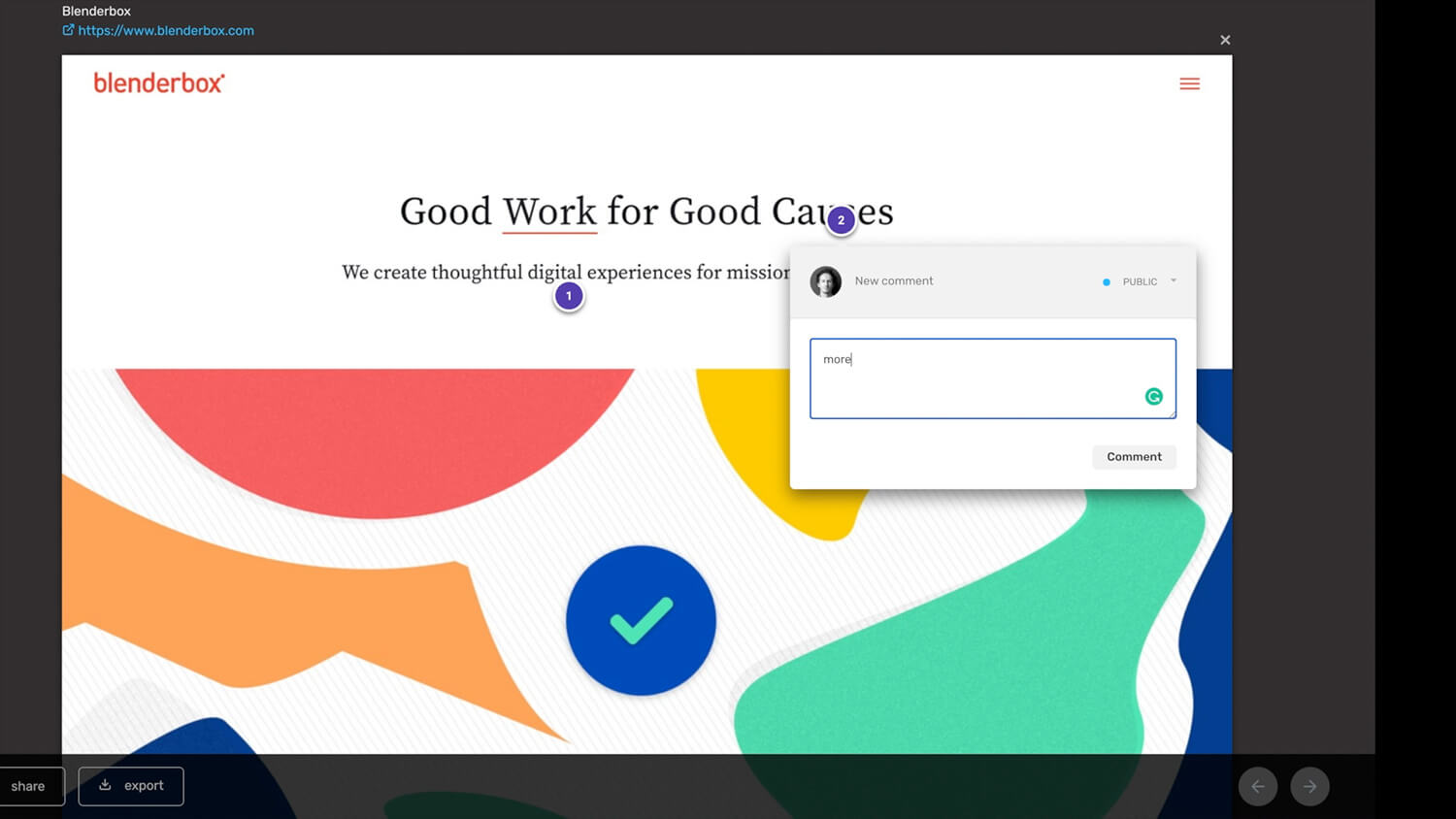
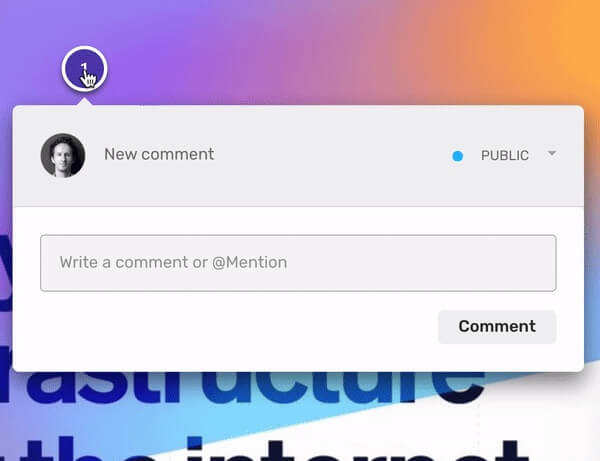 Page Annotations" data-no-bp="" data-bp="720,1032" data-uniqueid="1333-104691" data-guid="https://visualsitemaps.com/wp-content/uploads/2021/04/Annotations.jpg" data-path="2021/04/Annotations.jpg" data-width="600" data-height="461" data-singlew="6" data-singleh="" data-crop="" loading="lazy" data-srcset="https://visualsitemaps.com/wp-content/uploads/2021/04/Annotations.jpg 600w, https://visualsitemaps.com/wp-content/uploads/2021/04/Annotations-300x231.jpg 300w" srcset="data:image/svg+xml;base64,PHN2ZyB3aWR0aD0iNjAwIiBoZWlnaHQ9IjQ2MSIgeG1sbnM9Imh0dHA6Ly93d3cudzMub3JnLzIwMDAvc3ZnIj48cGF0aCBkPSJNMCAwaDF2MUgweiIgZmlsbD0ibm9uZSIgZmlsbC1ydWxlPSJldmVub2RkIi8+PC9zdmc+" />
Level up your Design & UX for new websites or redesigns
Most of us assimilate information by taking it in visually. Visual sitemaps illuminate the intricacies of a website’s framework. This goes beyond just giving a rudimentary understanding, but provides data, transforming the redesign experience into an exact science. SEEING and Understanding the website’s architecture can lead to better design decisions.
What was once a painstaking process of creating an in-depth sitemap can now be done in a few clicks. Let VisualSitemaps give you the insights you need to enhance your content, SEO, marketing, and design workflow.
Redesigning Your Website with a Visual Sitemap Audit
Redesigning a website can be a daunting task, but using a visual sitemap can make the process more manageable. A visual sitemap provides a clear overview of your website’s structure, helping you identify areas for improvement. By analyzing the visual sitemap, you can determine the best way to reorganize your website’s architecture, optimize internal links, and enhance the user experience.
Coming Soon: An in-depth check-list on what you should be considering for doing a full web reboot >>
Why AI Makes Visual Sitemaps More Valuable
AI is useful in website planning only when it has the right context.
A generic AI prompt can give you generic website advice. But a visual sitemap gives AI a structured view of the actual site: the pages, hierarchy, depth, grouping, and architectural patterns that already exist.
That context matters.
When AI starts from a real sitemap, it can reason more specifically about the structure. It can help identify weak sections, missed topical clusters, confusing page relationships, buried high-value content, and opportunities to reorganize the site around clearer user and search intent.
This makes the workflow more practical:
1. Crawl the website.
2. Generate the current-state visual sitemap.
3. Review the existing structure.
4. Run AI optimization.
5. Get a proposed future-state sitemap and analysis report.
6. Use the recommendations to guide redesign, SEO, content, and stakeholder decisions.
The visual sitemap is still the foundation. AI simply makes that foundation more actionable.
It helps teams move from “Here is what the site looks like today” to “Here is how we might improve it next.”
Summary
Visual sitemaps are essential for understanding website structure.
They help teams see the hierarchy of pages, evaluate information architecture, improve UX, support SEO planning, compare competitor structures, and communicate more clearly with stakeholders.
For years, the biggest value of a visual sitemap was visibility. It gave teams a shared map of what already existed.
That is still true.
But with AI-optimized sitemaps, the value goes further. A visual sitemap can now become the foundation for a smarter future-state architecture, complete with recommended restructuring, topical clustering, and a strategic analysis report.
You still need human judgment. You still need business context. You still need to decide what makes sense for your users, content, and market.
But you no longer have to start from a blank page.
First, see the structure. Then improve it.